
Renting a laptop is a practical solution for students, remote workers, businesses, travelers, event organizers, and temporary project teams. Most laptop rental providers, including Rentio, generally do not include premium software like Microsoft Office, Adobe Creative Cloud, antivirus suites, or video editing tools by default, as software is installed only when specified in the rental agreement. This ensures secure, stable, and reliable device performance.
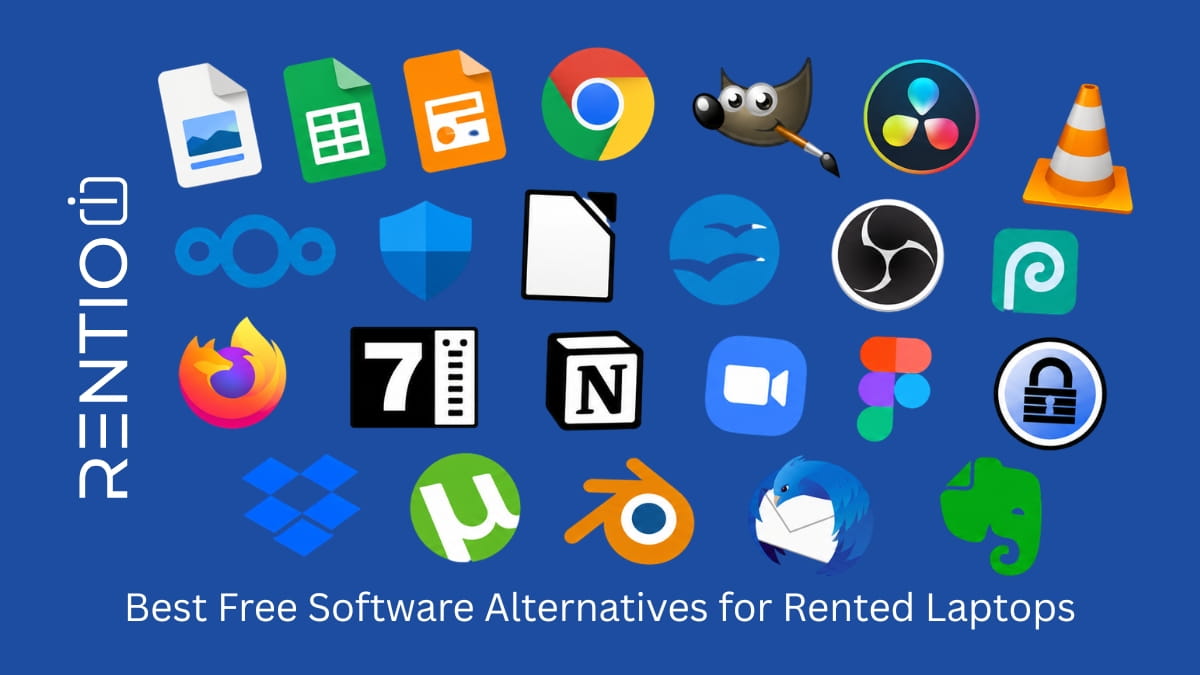
Free software alternatives solve this problem by providing secure, capable, and legal options for everyday tasks without increasing rental costs. Whether you need to create documents, edit photos, attend meetings, manage projects, or protect your data, there are reliable free applications available for almost every use case.
This guide explains the best free software alternatives for rented laptops, who should use them, and how to choose the right tools while maintaining security, compatibility, and performance.
Why Free Software Matters for Laptop
Laptop rental periods can range from a few days to several months. Purchasing annual software subscriptions for short-term use often makes little financial sense.
Free software offers several advantages:
- Reduces overall rental costs
- Eliminates long-term software commitments
- Simplifies setup and removal
- Supports cross-platform compatibility
- Enables quick onboarding for teams
- Minimizes licensing concerns
According to research from the Statista, global spending on public cloud services continues to rise as users increasingly prefer subscription-based and cloud-native tools over traditional installed software.
For temporary laptop users, browser-based and free desktop applications provide flexibility without compromising productivity.
Software Selection Matrix
If you are unsure which tools to install on a rented laptop, use this quick matrix to choose based on your work type.
| Use Case | Primary Task | Best Free Software | Alternative Option | Why It Works Well |
|---|---|---|---|---|
| Students | Assignments, notes, presentations | Google Docs, Sheets, Slides | LibreOffice | Easy, cloud-based, no installation needed |
| Remote Workers | Meetings, collaboration, documents | Google Workspace, Microsoft Teams | Zoom Basic | Real-time communication and file sharing |
| Designers | Photo editing, UI design | GIMP, Photopea | Canva, Figma | Powerful tools with browser options |
| Video Creators | Editing videos for YouTube/social media | DaVinci Resolve | CapCut Desktop | Professional + beginner-friendly balance |
| Business Users | Task & workflow management | Trello, ClickUp | Notion | Simple project tracking and collaboration |
| IT/Developers | Coding, version control | VS Code, GitHub Desktop | – | Lightweight, fast, widely supported |
| Security Focused Users | Passwords, antivirus | Bitwarden, Microsoft Defender | – | Strong security without cost |
| Travelers / Temporary Users | Quick document access | Google Drive | Dropbox Basic | Cloud access from any device |
What to Consider Before Installing Software on a Rented Laptop
Before downloading any application, check your rental provider’s policies.
Consider these factors:
Administrative Access
Some rental companies restrict administrator privileges to maintain device security. Confirm whether you can install software independently.
Data Privacy
Never assume a rented laptop is permanently yours. Use strong passwords, enable multi-factor authentication, and sign out of all accounts before returning the device.
System Requirements
Choose lightweight applications that run smoothly on the laptop’s available RAM, storage, and processor.
Cloud Synchronization
Prioritize software that stores files securely in the cloud. This ensures you retain access to your work even after returning the laptop.
Trusted Download Sources
Only download software from official websites or recognized app stores to reduce security risks.
Office Suite Alternatives
LibreOffice
LibreOffice includes applications for word processing, spreadsheets, presentations, databases, and formulas.
It supports many Microsoft Office file formats, making it ideal for students, freelancers, and businesses working across different systems.
Best for:
- Offline work
- Large documents
- Users familiar with Microsoft Office
Google Docs, Sheets, and Slides
Google Workspace offers free browser-based tools for document creation and collaboration.
Real-time editing and automatic cloud backups make these applications particularly useful for short-term laptop rentals.
Best for:
- Team collaboration
- Remote work
- Automatic file syncing
Free PDF Tools
PDFgear
PDFgear enables users to edit, annotate, merge, and convert PDFs without subscription fees.
Its lightweight design makes it suitable for rented laptops with limited storage.
PDF-XChange Editor Free
PDF-XChange Editor provides advanced annotation and editing capabilities for professionals who frequently work with documents.
Free Photo Editing Software
GIMP
GIMP is one of the most powerful free alternatives to Adobe Photoshop.
It supports layers, advanced editing tools, custom brushes, and plugins.
Best for:
- Graphic designers
- Bloggers
- Social media managers
Photopea
Photopea works directly in a web browser and supports PSD files.
Because it requires no installation, it is particularly useful when rental devices restrict administrative access.
Free Video Editing Software
DaVinci Resolve
DaVinci Resolve offers professional-grade editing, visual effects, and color correction features.
Independent filmmakers and content creators frequently use it for high-quality production work.
Keep in mind that video editing software requires sufficient processing power and storage.
CapCut Desktop
CapCut offers simple editing tools for social media creators and beginners.
Its templates and intuitive interface reduce the learning curve.
Free Communication and Meeting Tools
Google Meet
Google Meet integrates seamlessly with Gmail and Google Calendar.
Microsoft Teams Free
Microsoft Teams supports meetings, file sharing, and team communication.
Zoom Basic
Zoom remains a popular choice for virtual meetings and webinars.
Free Cloud Storage Solutions
Google Drive
Google Drive offers free storage and easy integration with productivity tools.
OneDrive
Microsoft OneDrive works well for users already using Windows devices.
Dropbox Basic
Dropbox simplifies file sharing across multiple devices.
Free Security Tools
Microsoft Defender
Microsoft Defender is included with modern Windows devices and provides real-time protection.
Independent testing organizations such as the AV-TEST Institute regularly rank Microsoft Defender among leading antivirus solutions.
Bitwarden
Bitwarden securely stores passwords across devices.
Using a password manager is particularly important on rented laptops because it reduces the risk of leaving credentials behind.
Free Project Management Tools
Trello
Trello uses visual boards to organize tasks and workflows.
ClickUp Free
ClickUp combines task management, documents, and collaboration features.
These tools help temporary teams coordinate projects efficiently without purchasing enterprise software licenses.
Free Utilities for Everyday Use
7-Zip
7-Zip compresses and extracts files efficiently.
VLC Media Player
VLC media player supports virtually every audio and video format.
Notion Free
Notion combines notes, databases, and project planning.
Download Links to Major Free Software
Use the official sources below to safely download the most commonly used tools for rented laptops:
Office & Documents
- LibreOffice — https://www.libreoffice.org/
- Google Docs / Workspace — https://docs.google.com/
Cloud Storage
- Google Drive — https://drive.google.com/
- Microsoft OneDrive — https://www.microsoft.com/microsoft-365/onedrive
- Dropbox — https://www.dropbox.com/
PDF Tools
- PDFgear — https://www.pdfgear.com/
- PDF-XChange Editor — https://www.pdf-xchange.com/
Photo Editing
- GIMP — https://www.gimp.org/
- Photopea (Web-based) — https://www.photopea.com/
Video Editing
- DaVinci Resolve — https://www.blackmagicdesign.com/
- CapCut — https://www.capcut.com/
Communication Tools
- Zoom — https://zoom.us/
- Microsoft Teams — https://www.microsoft.com/microsoft-teams
- Google Meet — https://meet.google.com/
Security & Password Management
- Microsoft Defender — https://www.microsoft.com/en-us/windows/comprehensive-security
- Bitwarden — https://bitwarden.com/
Utilities
- 7-Zip — https://www.7-zip.org/
- VLC Media Player — https://www.videolan.org/vlc/
Productivity & Work
- Trello — https://trello.com/
- ClickUp — https://clickup.com/
- Notion — https://www.notion.so/
How Free Software Can Reduce Costs for a Temporary Team
A marketing agency renting 20 laptops for a three-month campaign project estimated annual software costs of more than $6,000 using premium office, design, communication, and project management tools.
By adopting free alternatives such as LibreOffice, Google Workspace tools, GIMP, Trello, and Microsoft Defender, the team significantly reduced software expenses while maintaining productivity.
The savings allowed the agency to invest more budget in advertising and training instead of short-term software subscriptions.
Common Mistakes to Avoid
Many users focus only on functionality and overlook security or compatibility.
Avoid these mistakes:
- Downloading software from unofficial websites
- Ignoring the rental company’s installation policies
- Saving important files only on the local drive
- Leaving personal accounts signed in
- Installing unnecessary applications that slow down performance
Expert Recommendations for Using Free Software on Rented Laptops
Choose Browser-Based Tools First for Short-Term Rentals
For short rental periods, prefer browser-based tools like Google Docs and Photopea to avoid installation issues, save time, and ensure smooth access without administrator permissions.
Install Desktop Software Only When Necessary
Install heavy desktop applications like DaVinci Resolve or GIMP only when required for performance tasks. Avoid unnecessary installations that may slow down rented laptop performance or violate rental policies.
Prioritize Cloud Storage Over Local Storage
Always store files in cloud platforms like Google Drive or OneDrive to ensure data safety, easy access from other devices, and smooth transfer after returning the rented laptop.
Always Use a Password Manager
Use trusted password managers like Bitwarden to securely store credentials. This prevents saving passwords in browsers and reduces risk of leaving sensitive login data on rented devices.
Keep Software Installation Minimal
Avoid installing multiple tools for the same purpose. Keeping software minimal improves system performance, reduces clutter, and ensures the rented laptop runs smoothly throughout the usage period.
Follow a Clean Exit Policy Before Returning Device
We thoroughly clean and scan every laptop for viruses and malware before re-renting. However, users often forget to sign out of Gmail, which can expose sensitive personal data if left active.
Before returning, sign out of all accounts, clear browser data, remove personal files, and ensure no sensitive information remains stored on the rented laptop.
Essential Tasks Before Returning a Rented Laptop
Returning a rented laptop involves more than packing the device and handing it back. Taking a few minutes to remove personal information, back up important files, and verify the rental provider’s requirements can help protect your privacy and ensure a smooth return process. Following a simple checklist reduces the risk of leaving behind sensitive data, losing access to important accounts, or incurring avoidable charges.
- Back up important files to cloud storage or an external drive.
- Confirm your files are accessible from another device.
- Sign out of all accounts, apps, and browsers.
- Remove saved passwords, payment details, and browser data.
- Uninstall software you added, if required.
- Delete personal files and empty the Recycle Bin or Trash.
- Disconnect linked devices and disable account syncing.
- Return all accessories, including chargers and adapters.
- Check the laptop for damage and follow the provider’s return instructions.
- Request a return confirmation or receipt.
FAQs
Most rental providers allow software installation, but policies vary. Always confirm installation permissions before downloading applications.
Free software is safe when downloaded from official sources and maintained by reputable developers or organizations.
Yes. Remove installed applications if required by the rental agreement and sign out of all accounts.
Yes. Browser-based tools such as Google Docs, Photopea, and Canva reduce setup time and preserve storage space.
For most users, Microsoft Defender offers strong built-in protection when combined with safe browsing habits and regular updates.
LibreOffice provides broad compatibility with Word, Excel, and PowerPoint file formats.

Sarita is a Rental Operations Executive at Rentio, specializing in laptop and IT equipment rentals. She helps businesses choose the right devices, coordinates seamless deliveries, and shares practical insights on technology, device configurations, and rental solutions.