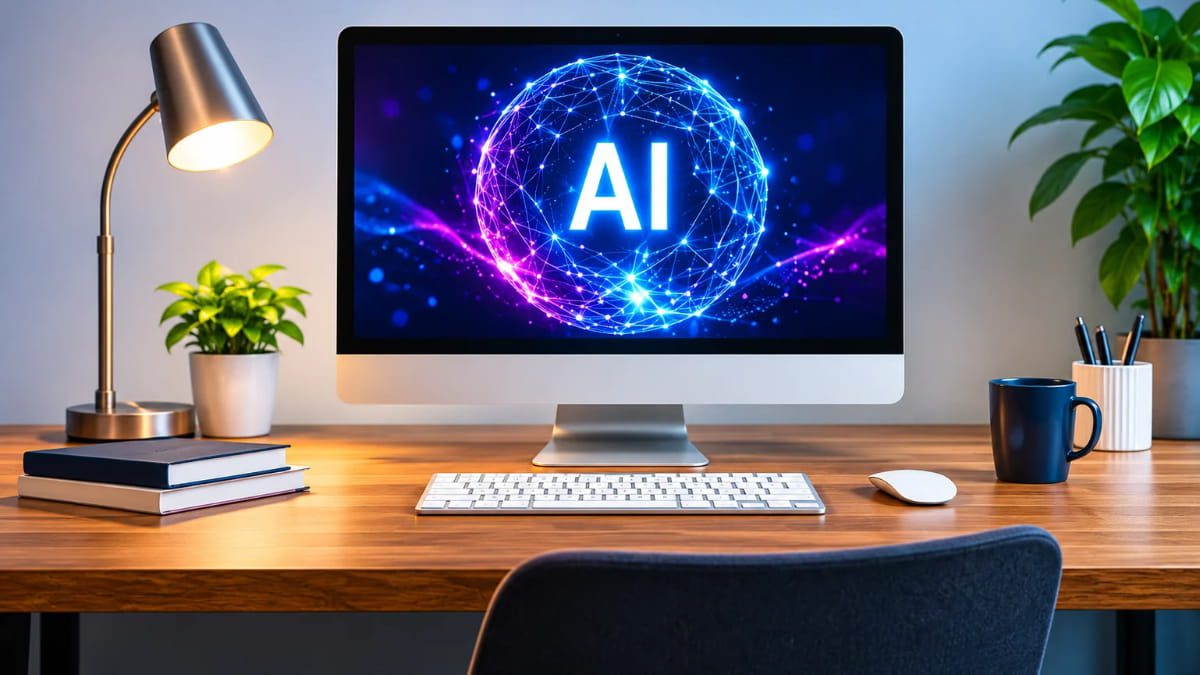

An AI PC is a personal computer equipped with specialised hardware designed to run artificial intelligence (AI) applications more efficiently. Unlike traditional computers that primarily depend on the CPU, GPU or cloud-based services for AI processing, an AI PC typically includes a Neural Processing Unit (NPU) alongside its CPU and GPU. This dedicated processor enables supported AI tasks to run directly on the device, improving processing efficiency and reducing dependence on cloud computing.
The concept gained significant industry attention in 2023 when Intel introduced its AI PC Acceleration Program and prepared to launch its first Core Ultra processors. Microsoft further accelerated the category with the introduction of Copilot+ PCs in 2024, establishing hardware requirements for a new class of Windows computers with advanced on-device AI capabilities. Since then, Intel, AMD, Qualcomm and other technology manufacturers have expanded their AI-capable processor portfolios.
AI PCs represent an important change in personal computing. Artificial intelligence is moving beyond web applications and cloud platforms into the hardware of everyday computers. From intelligent video conferencing and real-time translation to local language models and content creation, these machines are designed to handle a wider range of AI workloads. Understanding this technology is becoming increasingly important for individuals, IT professionals and organisations planning their next computer upgrade.
What Is an AI PC?
An AI PC is a computer designed with dedicated hardware to accelerate artificial intelligence workloads. Its architecture generally combines three major processing components: a Central Processing Unit (CPU), a Graphics Processing Unit (GPU) and a Neural Processing Unit (NPU). Each component performs different computing tasks, allowing the system to distribute workloads according to their processing requirements.
The most important addition is the NPU, which is specifically designed to perform certain AI and machine learning calculations efficiently. Traditional computers can already run AI applications using their CPUs and GPUs, but an NPU provides a specialised processing engine for supported workloads. This can reduce the power required for continuous AI operations while allowing the CPU and GPU to focus on other tasks.
AI PC is an industry category rather than a single product or operating system. Different manufacturers and research organisations may use slightly different definitions. Gartner, for example, has classified AI PCs around the presence of an embedded NPU. Therefore, a laptop advertising AI-powered software does not automatically qualify as an AI PC under every industry definition.
What Makes a Computer an AI PC?
The defining hardware characteristic is generally an NPU or another dedicated AI acceleration capability, depending on the classification being used. The presence of AI software alone is not sufficient to distinguish a dedicated AI PC from a traditional computer.
An AI PC may support several capabilities:
- On-device AI processing for compatible applications.
- Intelligent noise cancellation and video enhancement.
- Automatic transcription and translation.
- AI-assisted image, audio and video editing.
- Local execution of selected machine learning models.
- Intelligent search and productivity assistance.
The actual capabilities depend on the processor, operating system, available memory, software compatibility and the AI models being used.
A Brief History of AI PCs
Artificial intelligence in computers is not entirely new. For many years, computer processors have supported mathematical operations used in machine learning, image recognition, voice processing and other intelligent applications. However, most advanced AI applications were traditionally processed using powerful cloud servers or dedicated graphics hardware.
The introduction of more specialised AI hardware into consumer processors gradually changed this approach. Smartphone manufacturers had already started integrating neural processing capabilities into mobile chipsets, demonstrating that certain AI operations could be performed locally without continuously connecting to cloud infrastructure.
The PC industry began moving in the same direction as demand for generative AI increased. In October 2023, Intel announced its AI PC Acceleration Program, bringing hardware manufacturers and software developers together to expand AI-powered PC experiences. The programme highlighted the growing importance of specialised AI processing and software optimisation.
In 2024, Microsoft introduced the Copilot+ PC category, which established a more specific hardware standard for advanced Windows AI experiences. This helped turn AI PCs into a recognisable product category rather than simply a marketing description.
Today, AI processing is becoming a major consideration in processor development, laptop design, operating systems and enterprise hardware procurement. The industry is moving towards computers that can handle more intelligent workloads directly on the device.
How Does an AI PC Work?
An AI PC works by distributing computing workloads between its CPU, GPU and NPU. Rather than using one processor for every operation, the computer’s operating system and supported applications can assign tasks to the processing component best suited to handle them.
For example, when an employee joins a video conference, the CPU manages the application and general system operations. The GPU handles graphics and visual processing, while the NPU may perform supported background tasks such as noise reduction, eye-contact correction or background effects. This distribution can improve efficiency, particularly when AI features operate continuously.
Another example is an application that summarises a document using a locally running AI model. The NPU may accelerate supported model operations, while the CPU manages application logic and memory access. The GPU can assist with workloads requiring parallel processing. The exact division depends on the software and hardware architecture.
Central Processing Unit (CPU)
The CPU is the primary general-purpose processor in a computer. It executes operating system instructions, runs applications, manages system operations and handles a wide variety of calculations.
In an AI PC, the CPU continues to perform its traditional responsibilities. It can also process certain AI workloads, particularly tasks that are not well suited to specialised accelerators. Modern CPUs include instruction sets and architectural improvements that help accelerate selected machine learning operations.
Graphics Processing Unit (GPU)
The GPU is designed to process many calculations simultaneously. It was originally developed to handle graphics and visual rendering, but its parallel processing architecture also makes it useful for artificial intelligence.
Large AI models often require substantial parallel computation. GPUs can accelerate model inference, image generation, video processing and other demanding workloads. Some AI PCs include integrated graphics, while performance-oriented systems may have a dedicated GPU with its own memory.
A dedicated GPU is particularly useful for professionals working with advanced video editing, 3D rendering, graphics-intensive applications and larger AI models. However, not every AI application requires a powerful graphics processor.
Neural Processing Unit (NPU)
The NPU is a specialised processor designed to accelerate neural network operations and other supported AI workloads. It is optimised for the types of calculations frequently used in machine learning, particularly when power efficiency is important.
Unlike a CPU, which handles a broad range of instructions, an NPU is designed for specific computational patterns associated with AI. This makes it suitable for tasks such as background noise suppression, image recognition, speech processing and certain generative AI operations.
An NPU can also help reduce the workload placed on the CPU and GPU. For laptops, this is particularly relevant because power consumption directly affects battery life, heat generation and cooling requirements.
CPU vs GPU vs NPU: Understanding the Difference
| Component | Primary Function | AI-Related Role |
|---|---|---|
| CPU | General computing | Runs application logic and selected AI operations |
| GPU | Graphics and parallel processing | Accelerates demanding AI and visual workloads |
| NPU | Dedicated AI processing | Handles supported AI workloads efficiently |
The three components are complementary rather than interchangeable. An NPU does not replace a CPU or GPU, and having a powerful NPU does not automatically make a computer suitable for every AI workload.
What Is TOPS in an AI PC?
TOPS stands for Trillions of Operations Per Second. It is a measurement used to describe the processing capability of specialised AI hardware, particularly NPUs.
For example, an NPU rated at 40 TOPS is designed to perform up to 40 trillion operations per second under the relevant measurement conditions. This figure helps compare the theoretical AI processing capability of different hardware platforms.
However, TOPS should not be treated as a complete measure of real-world AI performance. Actual performance depends on the architecture, supported numerical precision, memory bandwidth, software optimisation, model size and the type of workload being executed. Two NPUs with similar TOPS ratings may deliver different results in practical applications.
Why Does TOPS Matter?
TOPS is important because certain operating systems and AI applications have minimum hardware requirements. Microsoft’s Copilot+ PC category, for example, requires an NPU capable of at least 40 TOPS, along with other hardware and software requirements.
This does not mean every AI PC needs a 40 TOPS NPU. It means that the threshold is relevant to a specific class of advanced Windows AI experiences. Buyers should check the requirements of the applications they intend to use instead of choosing a computer based only on its TOPS rating.
Key Features and Capabilities of AI PCs
AI PCs introduce several capabilities that go beyond traditional computing. Their practical value comes from combining specialised hardware with software designed to use artificial intelligence locally or through cloud services. Not every feature is available on every computer, and some require specific processor generations, operating system versions or application subscriptions.
On-Device Artificial Intelligence
One of the most important capabilities of an AI PC is on-device AI processing. This means compatible AI models and applications can perform selected operations directly on the computer instead of sending every request to a remote server.
For example, a laptop may process speech recognition, background noise removal or image classification locally. This can reduce network dependence and improve responsiveness. It can also help organisations keep certain information within their own devices, although local processing does not automatically guarantee data security or privacy.
AI-Powered Video Conferencing
Video conferencing has become a regular part of business communication. AI-powered hardware can improve the meeting experience through features such as background blur, automatic framing, eye-contact correction, voice isolation and noise cancellation.
These features are useful for employees attending meetings from home, shared offices or noisy environments. An NPU can handle supported visual and audio effects without placing the entire workload on the CPU. However, availability and processing requirements vary between conferencing applications and laptop models.
AI-Assisted Content Creation
AI PCs can support content creation through compatible image editing, video production, audio processing and writing applications. Some software can use local AI acceleration for tasks such as image enhancement, background removal, transcription and selected generative features.
For example, a marketing professional may use AI-powered image editing to remove unwanted objects from a photograph or improve image quality. A video editor may use automatic transcription to create subtitles. These applications can benefit from a combination of CPU, GPU and NPU processing, depending on the operation.
Speech Recognition and Real-Time Translation
AI-powered speech recognition can convert spoken conversations into written text. When supported by the operating system and application, this capability can help users create meeting notes, generate captions and search through recorded conversations.
Real-time translation is another important application. AI models can recognise speech, interpret language and generate translated captions or audio. Local processing may reduce latency and improve availability in situations with limited internet connectivity, provided the required language models are installed on the device.
Intelligent Productivity Assistance
AI assistants can help users summarise documents, organise information, draft emails, analyse data and locate relevant content. Some tasks are handled locally, while more advanced requests may still rely on cloud-based AI services.
For businesses, the value depends on how well these tools integrate with existing applications and workflows. An AI assistant that saves time during document preparation or meeting follow-ups may be useful, but organisations should also evaluate accuracy, access permissions and data-handling policies.
AI PC vs Traditional PC: What Is the Difference?
The main difference between an AI PC and a traditional PC is the inclusion of dedicated AI acceleration hardware and the software experiences designed to use it. Traditional computers can run artificial intelligence applications, but they may depend more heavily on the CPU, GPU or cloud infrastructure.
An AI PC adds specialised processing capabilities that can make certain AI workloads more efficient. However, it does not automatically make every application faster or improve performance in tasks that do not use AI acceleration.
| Comparison | Traditional PC | AI PC |
|---|---|---|
| CPU | Available | Available |
| GPU | Integrated or dedicated | Integrated or dedicated |
| Dedicated NPU | Usually absent | Generally included |
| On-device AI | Possible through CPU/GPU | More efficient for supported NPU workloads |
| AI software | Supported applications | Supported applications with additional hardware acceleration |
| Cloud AI | Supported | Supported |
| Power efficiency for supported AI tasks | Depends on CPU/GPU workload | Can improve through NPU acceleration |
| Price | Depends on configuration | May carry a hardware premium |
A traditional laptop with a powerful GPU can still perform demanding AI tasks, including running certain local language models. Similarly, an AI laptop with a modest GPU may not be suitable for advanced 3D rendering or large-scale AI model development.
The correct choice depends on workload requirements rather than the AI label alone.
Popular AI PC Processors and Technology Platforms
Several semiconductor manufacturers are developing processors with dedicated AI acceleration capabilities. Their approaches differ in architecture, software compatibility, graphics performance, power consumption and NPU capability.
Intel Core Ultra
Intel Core Ultra processors represent Intel’s move towards integrating dedicated AI acceleration into mainstream laptop and desktop computing platforms. These processors combine CPU cores, integrated graphics and Intel AI Boost NPU technology, with capabilities varying across processor generations.
Core Ultra platforms support different types of AI workloads, including selected productivity, collaboration and content creation features. Intel has continued developing its processor architecture, graphics capabilities and NPU performance across successive generations.
For business laptop users, Intel-based AI laptops can be relevant where compatibility with existing Windows applications, enterprise management tools and business software is a priority.
AMD Ryzen AI
AMD Ryzen AI processors combine CPU performance, Radeon graphics and dedicated NPU capabilities. The Ryzen AI family is designed to support AI workloads across productivity, content creation and other computing applications.
AMD has expanded its AI processor portfolio through multiple generations, with improvements in NPU performance and overall computing capabilities. Different Ryzen AI models offer different specifications, so buyers should compare the exact processor rather than relying only on the Ryzen AI branding.
These processors are relevant to users who need a balance of general computing performance, graphics capabilities and on-device AI acceleration.
Qualcomm Snapdragon X Series
Qualcomm’s Snapdragon X series brings Arm-based processor architecture to Windows laptops with an emphasis on power efficiency and AI acceleration. These processors combine CPU, GPU and NPU capabilities within a system-on-chip design.
Snapdragon X platforms have been used in several Copilot+ PC models. They are particularly relevant for portable computers where battery life, lightweight design and integrated AI capabilities are important considerations.
However, businesses should evaluate software compatibility before purchasing Arm-based Windows laptops. Although application support has expanded, some specialised business applications, drivers and older software may still require compatibility checks.
Apple Silicon and the Neural Engine
Apple’s M-series processors include a dedicated Neural Engine designed to accelerate machine learning tasks. These processors are used in MacBook Air, MacBook Pro, iMac and other Apple computers.
Apple has integrated machine learning capabilities into its hardware and operating systems for several generations. Its newer AI features use a combination of on-device processing and Apple’s Private Cloud Compute infrastructure for supported requests.
Although Apple generally markets its computers as Macs rather than using the Windows industry’s Copilot+ PC terminology, its hardware is an important part of the broader shift towards AI-capable personal computing.
Comparison of Major AI Processor Platforms
| Platform | AI Technology | Important Consideration |
|---|---|---|
| Intel Core Ultra | Intel AI Boost NPU | Windows business compatibility |
| AMD Ryzen AI | AMD XDNA-based NPU on supported models | Processor generation and NPU capability |
| Qualcomm Snapdragon X | Qualcomm Hexagon NPU | Arm software compatibility |
| Apple M-series | Apple Neural Engine | macOS ecosystem and application support |
Processor capabilities change with each generation. Before purchasing, verify the exact model number, NPU performance, supported applications and operating system requirements.
Real-World Business Applications of AI PCs
AI PCs are particularly relevant to businesses because employees increasingly use AI tools for communication, documentation, research, data analysis and creative work. However, the benefits differ between departments, and organisations should identify actual use cases before investing in new hardware.
Corporate Offices and Administration
Administrative teams regularly prepare reports, presentations, meeting notes and business correspondence. AI-enabled applications can help summarise documents, organise information, draft content and automate repetitive tasks.
An AI PC may accelerate compatible operations locally, depending on the software. This can make it useful for employees who regularly work with AI-assisted productivity tools. Businesses should still evaluate the accuracy of generated information and establish policies for reviewing important documents.
Software Development and IT Teams
Software developers can use AI coding assistants to explain code, suggest improvements, generate test cases and identify potential errors. Local AI models may also help development teams experiment with selected tools without sending every input to external services.
However, an NPU alone does not determine whether a laptop is suitable for software development. Processor performance, RAM, SSD capacity, graphics capability and compatibility with development environments remain important considerations. Developers working with virtual machines or large datasets may need higher hardware configurations.
Marketing and Creative Teams
Marketing professionals work with photographs, graphics, videos, presentations and large volumes of written content. AI-assisted applications can support image enhancement, background removal, audio cleanup, transcription and selected generative tasks.
A computer used for professional creative production may need a powerful GPU, sufficient RAM and fast storage in addition to an NPU. Businesses should therefore match the hardware configuration to the applications their employees actually use rather than assuming that every AI PC provides professional-grade creative performance.
Customer Support and Sales Teams
Customer support and sales departments can benefit from AI-powered transcription, conversation summaries, automated documentation and translation. These tools can reduce manual work after customer interactions and help employees organise information more efficiently.
For example, a sales representative may use an AI application to summarise a recorded meeting and prepare a follow-up draft. Whether this processing happens locally or through a cloud service depends on the application. Organisations must also consider customer consent, recording policies and data protection requirements.
Education, Training and Research
Educational institutions and research teams can use AI-enabled computers for language assistance, transcription, document analysis, coding and selected scientific applications. Local AI capabilities can be useful in environments where internet connectivity is limited or where certain information should remain on the device.
More demanding research activities, such as training large machine learning models or processing extensive datasets, generally require more powerful workstations, GPUs or cloud infrastructure. An AI PC is not a replacement for every specialised computing system.
Benefits and Limitations of AI PCs
AI PCs offer meaningful improvements for selected workloads, but they are not automatically the best option for every user. Understanding both advantages and limitations helps businesses and individuals make more informed purchasing decisions.
Key Benefits of AI PCs
Improved AI processing efficiency: Dedicated NPUs can execute supported AI workloads with better power efficiency than relying exclusively on general-purpose processors. This is particularly relevant for background tasks that run continuously.
Reduced dependence on cloud processing: Compatible AI models can run locally, reducing the need to send every request to an external server. This can also help applications work when internet connectivity is unavailable, provided the model and required data are stored on the device.
Potential privacy advantages: Local processing can reduce the amount of information transmitted to cloud services. However, this is not a complete security solution. Device encryption, access controls, software updates and organisational security policies remain essential.
Better multitasking for supported applications: By assigning suitable workloads to the NPU, an AI PC can free CPU and GPU resources for other tasks. The actual improvement depends on software optimisation and the applications being used.
Support for emerging software: As operating systems and software developers introduce more AI-powered features, computers with capable NPUs may support a wider range of local AI experiences.
Limitations of AI PCs
Higher purchase costs: AI PCs may cost more than comparable traditional computers because of newer processors, memory requirements and additional hardware capabilities.
Software dependency: An NPU provides little practical value when the applications being used cannot access it. Software support is still developing across different platforms.
Hardware requirements vary: Not every AI application requires the same NPU performance, RAM or graphics capability. Buyers must evaluate the actual requirements of their intended workloads.
Local AI is not always better: Cloud-based AI models may offer more computing power, larger context windows and more advanced capabilities than a laptop can provide locally.
Performance claims need context: A high TOPS rating does not guarantee faster performance across all AI applications. Model optimisation, memory bandwidth and software compatibility are equally important.
How AI PCs Are Affecting Laptop and IT Equipment Prices
The introduction of AI PCs is influencing the computer industry beyond processor development. It is also changing hardware specifications, component demand, manufacturing priorities and the cost of purchasing business laptops. Organisations planning hardware upgrades should understand how these developments can affect their IT budgets.
Higher Processor and Hardware Costs
AI-capable processors include additional specialised hardware and more advanced architectures. Manufacturers invest in processor design, fabrication, validation and software optimisation to support these capabilities. Depending on the product category, these developments can contribute to higher manufacturing costs and retail prices.
However, the presence of an NPU does not automatically make a laptop significantly more expensive. Processor pricing, product positioning, memory configuration, display quality, storage, graphics and manufacturing costs all influence the final purchase price.
Increasing Demand for RAM
Memory is an important consideration for AI computing because AI applications frequently work with large datasets, models and intermediate calculations. Computers running local AI models may require more RAM than machines used only for basic office applications.
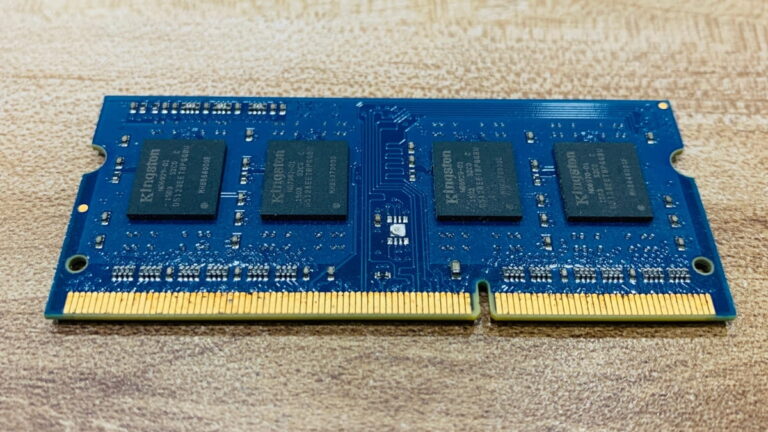
This growing demand is occurring alongside a wider expansion of AI infrastructure, including large data centres. AI servers require substantial quantities of high-performance memory, particularly High Bandwidth Memory (HBM), while conventional computers depend on DRAM and NAND-based storage.
According to IDC’s 2026 analysis, the expansion of AI infrastructure has contributed to pressure on the global memory supply chain. Manufacturers have been directing capacity towards higher-value memory products, affecting the availability and pricing of components used in conventional computers.
Impact on SSD and Storage Prices
AI workloads can involve large model files, datasets, application resources and generated content. This makes fast and sufficient storage important for many AI-enabled workflows.
SSDs based on NAND flash memory are widely used in modern laptops because they offer faster data access than traditional mechanical hard drives. As demand for data-centre storage and memory increases, NAND supply and pricing can also influence the cost of consumer and business storage devices.
However, AI PCs do not all require unusually large SSDs. The right storage capacity depends on the software, local models, business files and expected usage.
What Do Industry Forecasts Say About Computer Prices?
Memory costs have become a major factor in the global computer market. Gartner’s February 2026 forecast projected that combined DRAM and SSD prices could rise by 130% by the end of 2026 compared with 2025 levels, potentially increasing PC prices by 17%. These are market forecasts, not guaranteed price increases for every laptop model or market.
TrendForce published a separate analysis in March 2026 estimating that simultaneous increases in memory and CPU costs could push the retail price of a mainstream notebook originally priced at US$900 up by nearly 40% under its model. This is a scenario estimate, not an observed universal increase across the laptop market.
These forecasts demonstrate why computer procurement requires more attention to component pricing and supply conditions. Businesses may need to review hardware budgets, compare configurations and plan upgrades earlier when prices or availability become uncertain.
AI PC Adoption and Market Growth
AI PCs are becoming an increasingly important segment of the global computer industry, although adoption forecasts have changed as market conditions have evolved.
Gartner’s August 2025 forecast projected that AI PCs would represent approximately 31% of worldwide PC shipments in 2025 and 54.7% in 2026. However, Gartner subsequently reported in February 2026 that rising memory costs would slow adoption and delay the projected 50% market penetration until 2028. The difference illustrates how quickly hardware costs and supply conditions can change market expectations.
For businesses, the important takeaway is that AI-capable hardware is becoming more common, but the timing and cost of upgrading still depend on individual requirements and market conditions.
How AI PC Developments Can Affect IT Equipment Prices
| Component or Factor | Potential Impact on IT Equipment |
|---|---|
| AI-capable processors | Higher costs in some product categories |
| DRAM and RAM | Increased component costs and configuration pricing |
| SSD and NAND | Storage pricing and supply fluctuations |
| Dedicated GPUs | Higher costs for demanding AI and graphics workloads |
| Advanced cooling | Additional design and manufacturing costs in some systems |
| AI software requirements | Greater demand for capable hardware configurations |
AI PC adoption and AI data-centre expansion are related but different market developments. The NPU itself is not necessarily the main reason laptop prices increase. Memory supply, processor costs, manufacturing capacity, demand and currency movements can have a much larger effect on the final purchase price.
Should Businesses Upgrade to AI PCs?
Whether a business should upgrade to AI PCs depends on its current hardware, employee requirements, software ecosystem and expected return on investment. Replacing an entire laptop fleet simply because AI PCs are available may not be financially justified.
Businesses should first identify which employees regularly use AI-powered applications and whether their existing computers can support those applications effectively. Employees working mainly with email, spreadsheets, web applications and standard office software may not need a dedicated NPU immediately. On the other hand, teams using local AI models, advanced content creation tools or specialised AI applications may benefit from newer hardware.
Which Departments May Benefit Most?
| Department | Potential AI PC Applications |
|---|---|
| Marketing | Image editing, content assistance and video production |
| Human Resources | Document summaries, transcription and recruitment workflows |
| Finance | Document analysis and reporting assistance |
| Software Development | AI coding tools and local model experimentation |
| Customer Support | Call transcription and conversation summaries |
| Management | Meeting summaries, research and productivity assistance |
A Practical Approach to AI PC Procurement
Before investing in new computers, organisations should follow a structured evaluation process.
- Review existing hardware: Identify processor generations, RAM, storage, operating system and overall device condition.
- Identify AI workloads: Determine which applications employees actually use and whether they require local NPU acceleration.
- Check compatibility: Verify operating system requirements, software support, drivers and enterprise management compatibility.
- Compare configurations: Evaluate CPU, GPU, NPU, RAM, SSD and battery performance together.
- Calculate total ownership cost: Include hardware purchase, software licensing, maintenance, security, support and eventual replacement.
- Plan deployment in stages: Start with departments that have clear AI-related requirements instead of replacing every computer at once.
This approach allows IT teams to invest in technology based on measurable business requirements rather than marketing claims.
Laptop Purchase vs Rental: Managing the Cost of AI Hardware Upgrades
The changing laptop market presents a financial challenge for organisations. New processor generations, higher memory requirements and changing component prices can make it difficult to plan long-term hardware investments, particularly for businesses expanding their teams.
Purchasing laptops requires an upfront investment and creates responsibility for hardware maintenance, asset management, depreciation and eventual replacement. Businesses that purchase large quantities of computers may also face inventory and deployment challenges when employee requirements change.
Laptop rental provides an alternative procurement model in which businesses use computers for an agreed rental period instead of purchasing every device outright. This can help organisations manage upfront hardware expenditure, deploy computers for new employees and adjust device requirements as their operations evolve.
For example, a company opening a new office may need 30 laptops for employees. Instead of purchasing all 30 devices immediately, it can evaluate monthly rental arrangements based on the required specifications, deployment schedule and duration. The suitability of this approach depends on rental pricing, contract terms, minimum tenure, security deposits and support arrangements.
AI PC technology does not mean every organisation must immediately replace its existing laptops. Businesses can continue using suitable traditional computers for standard workloads while evaluating AI-capable devices for employees who need them. A mixed hardware strategy can help control IT expenditure during a gradual technology transition.
For companies comparing laptop purchase and rental options, the decision should consider total cost, expected usage period, hardware requirements and flexibility. The objective is to ensure employees have suitable computers without committing more capital than necessary.
The Future of AI PCs
The future of personal computing is likely to involve a closer integration of artificial intelligence with operating systems, applications and hardware. Instead of treating AI as a separate application that users open when needed, future computers may increasingly use intelligent features throughout everyday workflows.
One important development is the growth of on-device generative AI. Smaller language models are becoming more practical to run locally, allowing computers to perform selected tasks such as summarisation, writing assistance, information retrieval and image processing without depending entirely on external servers.
Another emerging area is agentic AI, where software agents can perform sequences of tasks with limited human intervention. For example, an AI assistant could potentially organise information from multiple documents, prepare a report and suggest follow-up actions. Such capabilities will depend on software development, system permissions, security controls and the computing resources available.
Hardware manufacturers are also working towards more efficient NPUs, improved integrated graphics, faster memory and better power management. These developments may make advanced AI features accessible across a wider range of personal computers.
However, cloud computing will continue to play an important role. Large AI models and computationally intensive workloads may still require powerful remote infrastructure. The future is therefore more likely to involve a combination of local and cloud-based AI rather than a complete shift towards on-device processing.
For businesses, this means computer procurement decisions will increasingly need to consider AI compatibility, hardware lifecycle, application requirements and long-term upgrade costs.
FAQs
An AI PC is a computer equipped with specialised hardware, generally including a Neural Processing Unit (NPU), to handle supported artificial intelligence tasks more efficiently. It can run certain AI features directly on the device, including speech recognition, background effects and selected generative AI applications.
The main difference is dedicated AI processing hardware. Traditional computers can run AI applications using their CPUs, GPUs or cloud services. An AI PC generally includes an NPU that accelerates compatible AI workloads with improved power efficiency. The actual performance difference depends on the application and hardware configuration.
No. Many AI applications already run on traditional computers using CPUs, GPUs or cloud-based processing. However, an NPU can make supported AI workloads more efficient, particularly when they run continuously in the background or need to operate locally.
An NPU is designed specifically to accelerate certain AI and neural network operations efficiently. A GPU is designed for graphics and parallel computing and can also handle demanding AI workloads. Both can accelerate artificial intelligence, but they serve different purposes and are suited to different types of processing.
AI PCs may carry a higher price depending on their processor, memory, graphics and overall specifications. However, the presence of an NPU does not automatically make every AI PC expensive. Component supply, manufacturing costs, product positioning and market demand also influence laptop prices.
Yes, supported on-device AI applications can work without an internet connection if their models and required resources are installed locally. However, cloud-based AI assistants and services generally require connectivity. Offline capabilities vary by application, model and computer configuration.
Conclusion
AI PCs represent an important development in the evolution of personal computing. By combining CPU, GPU and NPU technologies, these computers are designed to handle a wider range of artificial intelligence workloads with improved efficiency and greater on-device processing capabilities.
The growing adoption of AI-enabled software is influencing processor development, laptop specifications and the global computer market. At the same time, rising demand for memory, storage and advanced hardware is creating new challenges for computer manufacturers and business buyers. Understanding these changes can help organisations make better decisions about hardware procurement and technology upgrades.
For businesses, the most practical approach is to evaluate AI PCs according to employee requirements, software compatibility, security needs and total ownership costs. Not every employee needs an AI-capable laptop immediately, but understanding the technology will help organisations prepare for the next generation of business computing.

Sarita is a Rental Operations Executive at Rentio, specializing in laptop and IT equipment rentals. She helps businesses choose the right devices, coordinates seamless deliveries, and shares practical insights on technology, device configurations, and rental solutions.